How We Made a Live Streetwear Store Safe to Change
inFinOwl's online store was live and looked finished, but image uploads failed, fixes lived only on the server and nothing was tested. Here is how we turned AI brand imagery into a real shop, rebuilt checkout around one rule, and made every update tested, reversible and routine.
When we picked inFinOwl's online store back up, it was already live. The South African streetwear label, built around an infinity sign that doubles as an owl, had a shop, a checkout, customer accounts and an admin dashboard. From the outside, it looked finished.
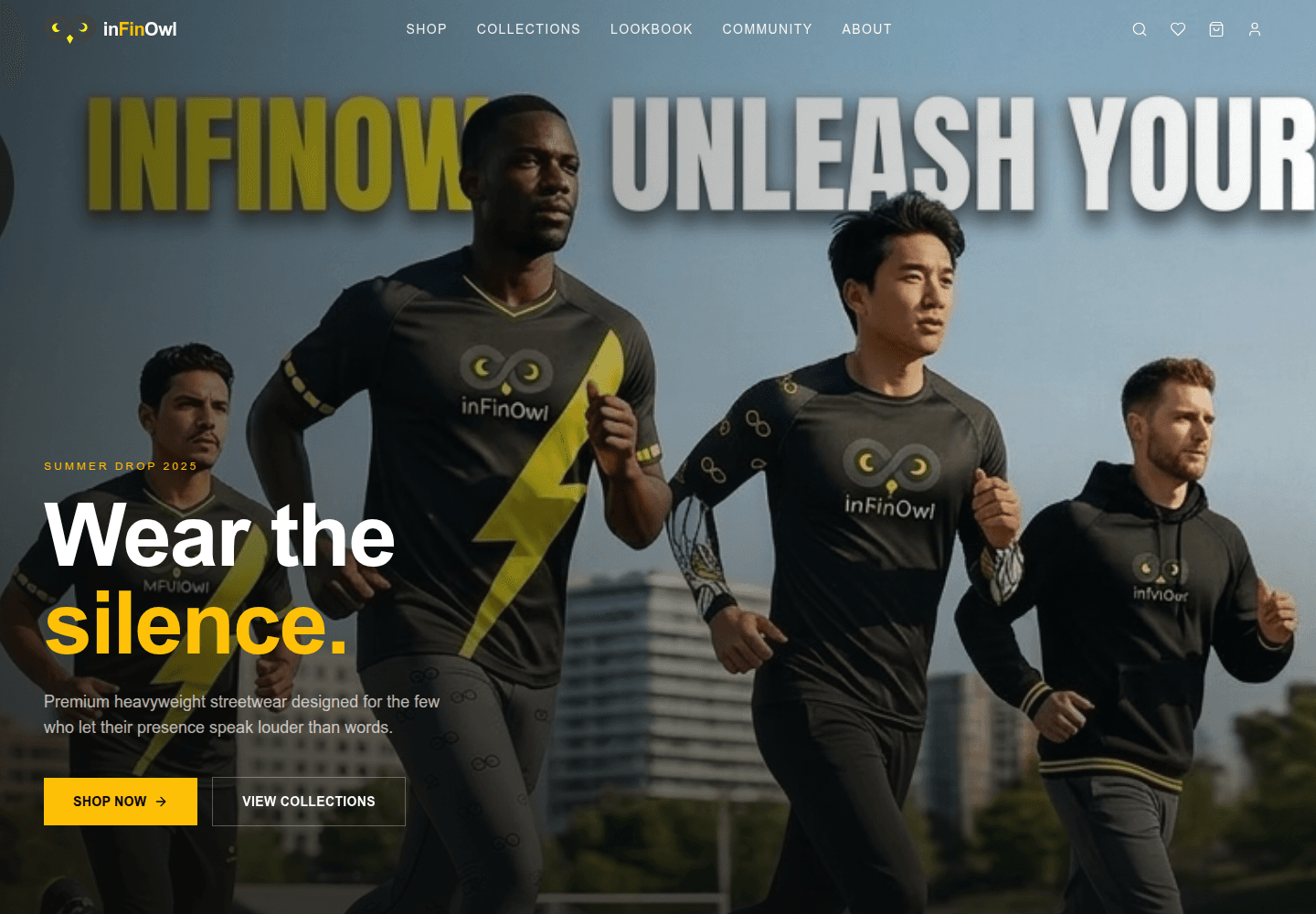
The owner also arrived with a zip file of fifty AI-generated campaign and product images and two short videos, and a clear brief: fix what is broken, put the new imagery to work, prove that everything works, and make the site safe to keep improving.
A store that looks finished is not the same as a store you can run
The first job was finding out what "broken" really meant. Some of it showed up as soon as we used the admin the way the owner would. Image uploads failed, and uploaded pictures did not appear on the storefront. Some admin forms dropped the cursor after every letter typed. The shop was still full of placeholder products.
Some of it was invisible. Over the months, fixes had been made directly on the server, so the code in version control no longer matched what customers were using. Every update meant copying files across by hand. There were no automated tests at all, so nobody could say with confidence what a change might break.
None of that is unusual. It is what many small online stores look like a few months after launch. But it leaves the owner nervous to touch the one thing that earns money, and a store nobody dares to change slowly falls behind.
Making AI imagery ready for a real shop
The brand pack was strong but not shop-ready. The images generated with Google's Gemini carried its small sparkle watermark in one corner. Product shots came in mixed sizes, some as pairs in a single frame, and one video ended on an editing app's end card.
Cropping the watermark out would have cost part of every frame, and blurring it leaves a smudge that stands out on a clean studio backdrop. So we treated it as a maths problem. The mark is a white shape laid over the picture at a fixed transparency. We measured that transparency from ten images with plain backgrounds, found it identical in all of them, and reversed the blend pixel by pixel to recover the colours underneath.
The judgement call came with the awkward images. A few had faint "ghost" marks where the model had repainted an earlier watermark, and some marks were cut off at the edge. We wrote extra clean-up for those, then found it mistook the grain of a wooden deck for leftover watermark. For busy textures like that, the script now applies only the exact reversal and leaves everything else alone. A slightly imperfect corner is better than invented detail.
From there, one repeatable script produced 43 square product photos, campaign and lifestyle banners, transparent artwork and two web-ready videos, including a 360° turntable of the colour-block polo. The imagery is AI-generated and we are open about that. Removing the corner mark was about a clean product grid, not about hiding where the pictures came from.
The customer's browser never decides the price
Checkout is where a store earns trust or loses money, so we rebuilt it around one rule: the server calculates everything.
When someone places an order, the server looks up every price itself, applies delivery rates and discount codes from the store's own settings, and refuses any price or total the browser tries to send. Stock is taken in the same step that creates the order, and only if it is still there, so two people cannot both buy the last hoodie in a size. A single-use discount code can only be redeemed once, even when two shoppers try at the same moment.
Payment is manual for now. The customer receives payment instructions, and the owner marks the order as paid in the admin. That let the store take real orders straight away, and adding a card gateway later will not change how orders are recorded.
Tests that caught problems before customers did
We wrote tests at three levels:
- 114 fast checks of the business rules: prices, stock, discounts, delivery and uploads.
- 66 tests that drive the real system against a real database, the way the website does.
- 41 browser tests that browse, shop, check out, sign in and manage the store the way people do.
After every release, another 13 read-only checks run against the live site.
They earned their keep on the day they were written. The database tests found that checking out with any discount code without a usage limit failed with a server error. The browser tests found that refreshing any admin page sent staff back to the dashboard, that the admin logo was missing, and that on a laptop-sized screen the Create button of a longer form sat out of reach below the window.
Most of these only appear under particular conditions: a certain kind of discount code, a page refresh, a smaller screen. A quick look around the site would have missed them, and each would have reached a customer or the owner eventually. Each is now fixed and covered by a test, so it cannot quietly return.
Every browser test also fails if a page throws an error or any image comes back broken. Broken images were the original complaint, so that felt like the right thing to watch on every page.
Updates that cannot take the shop down
The last piece is the one the owner will feel most: changing the site without holding their breath.
Every change pushed to the main branch now goes through all of those tests automatically. Only if everything passes does it reach the server. There, the new version is built in its own folder while the current one keeps serving customers. The database is backed up, the new version is switched in, and the server checks that the storefront, the shop and the admin all respond. If they don't, it switches back to the previous version on its own.
We chose separate release folders over the simpler approach of rebuilding in place. While testing, we saw a running site whose files were rebuilt underneath it serve pages with missing pieces. A store should never be half-updated in front of a customer.
Handing over something the next person can pick up
A store is only as maintainable as its documentation. The project now carries guides to its architecture, testing, design and current status, written for developers and for the AI coding agents we increasingly work alongside. They record where things live, which rules protect the money, and which decisions were made and why.
Day-to-day details also moved out of the code and into the admin. Delivery prices, the free-delivery threshold, the announcement bar, payment instructions and contact details are settings the owner changes without a developer. The product catalogue is defined once in code, so a fresh setup is repeatable, but importing it never overwrites a price, stock level or description the owner has edited.
If your store works but you are nervous to touch it
Plenty of online shops are where inFinOwl was: live, looking finished, and quietly fragile. That rarely calls for a new website. It calls for finding what is actually broken, fixing it properly, and putting tests and a safe release process around it, so the next change is routine rather than a risk.
That is the kind of work we do at TechTur Solutions. You can see the result at infinowl.techtursolutions.com, and if your store needs the same care, get in touch.
Enjoyed this article?
Get more design tips and web dev insights in your inbox. No spam — just good content.